
Best Keyboards for Programmers
What programmers should look for first
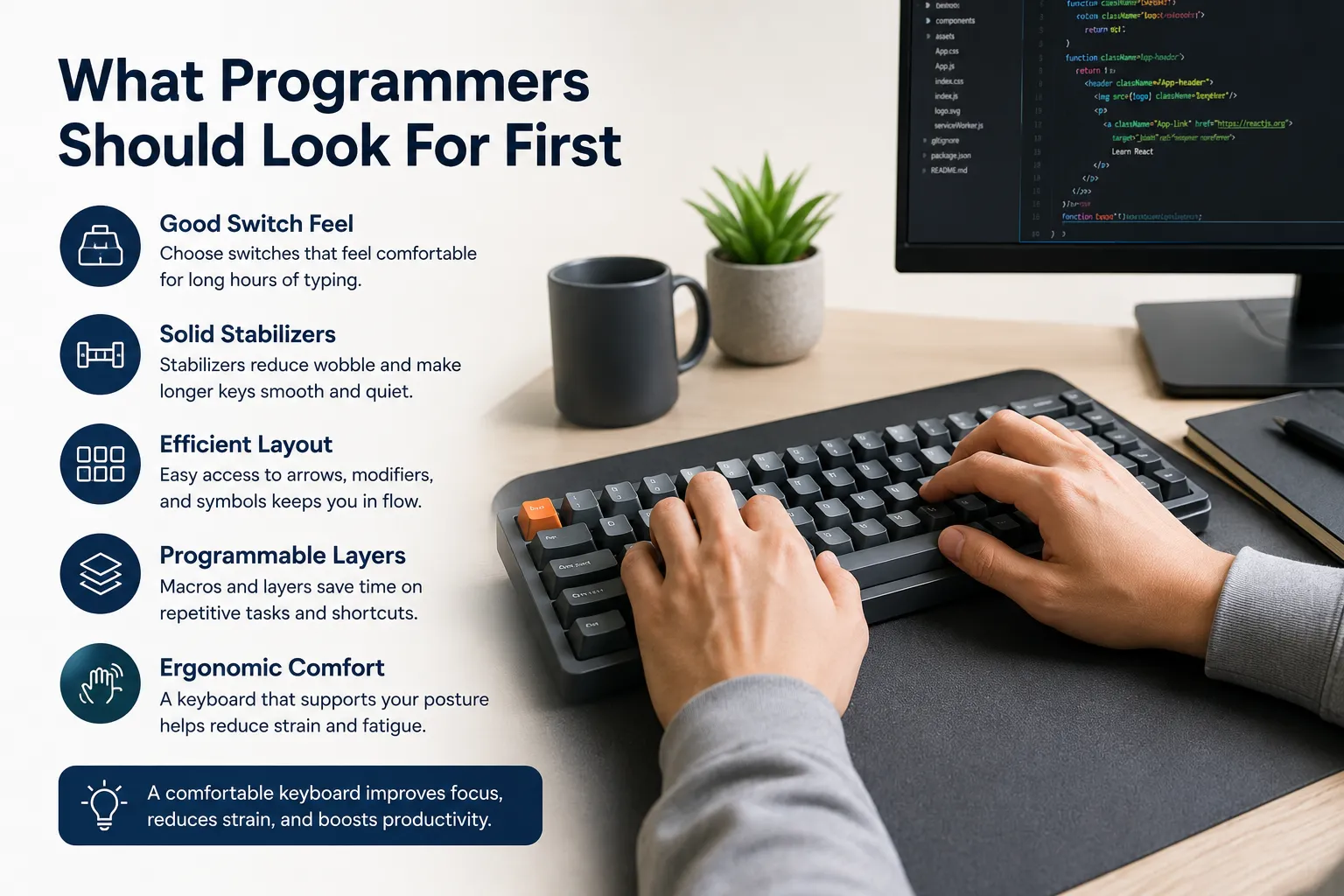
Programming keyboards need to support long sessions, fast symbol entry, and comfortable posture. That means good switch feel, solid stabilizers, a layout with easy arrow and modifier access, and optionally programmable layers for macros.
Many programmers also value a keyboard that reduces strain. If your typical day includes hours of writing, reviewing, and debugging, a keyboard that keeps your hands relaxed can improve productivity as much as one that simply feels clicky.
Hot-swap vs built-in switches
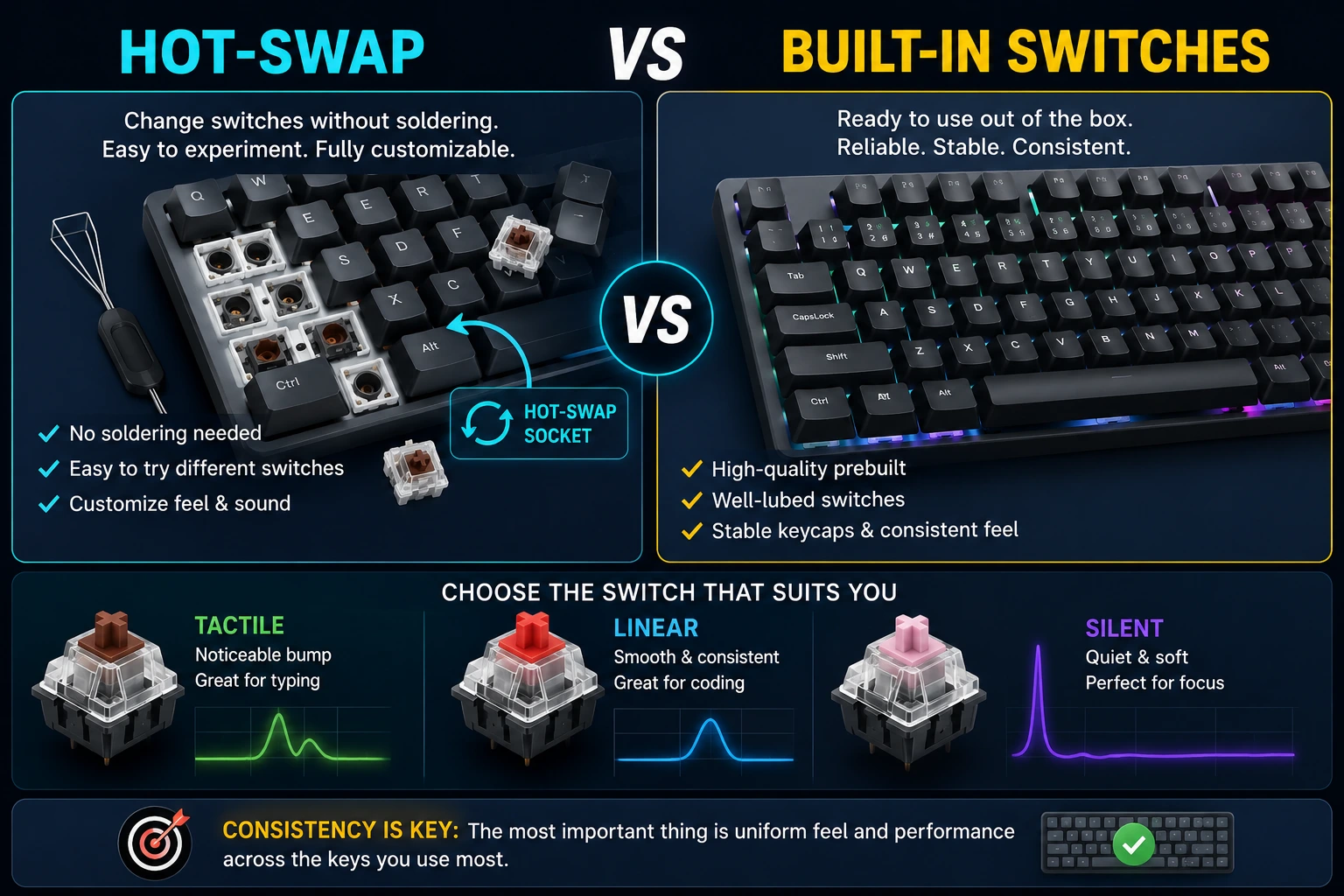
A hot-swap board lets you change switches without soldering, which is useful if you want to experiment with tactile, linear, or silent options. For programmers, a quiet tactile or smooth linear switch is often ideal because it balances feedback with low noise.
If you prefer a ready-to-use keyboard, a high-quality prebuilt model with well-lubed switches and stable keycaps is also a good choice. The most important thing is consistency across the keys you use most.
| Keyboard type | Best for | Why it works |
|---|---|---|
| Ergonomic split keyboard | Wrist comfort & long hours | Keeps hands aligned and reduces ulnar deviation. |
| Compact 65/75% | Desk space + focused typing | Retains arrow keys while shrinking width for better reach. |
| Full-size mechanical | Function row & numeric keypad | Best for users who need a dedicated number pad and full layout. |
| Low-profile wireless | Clean setup & portability | Offers a laptop-like feel with a neat desk footprint. |
Layout matters for code-heavy work
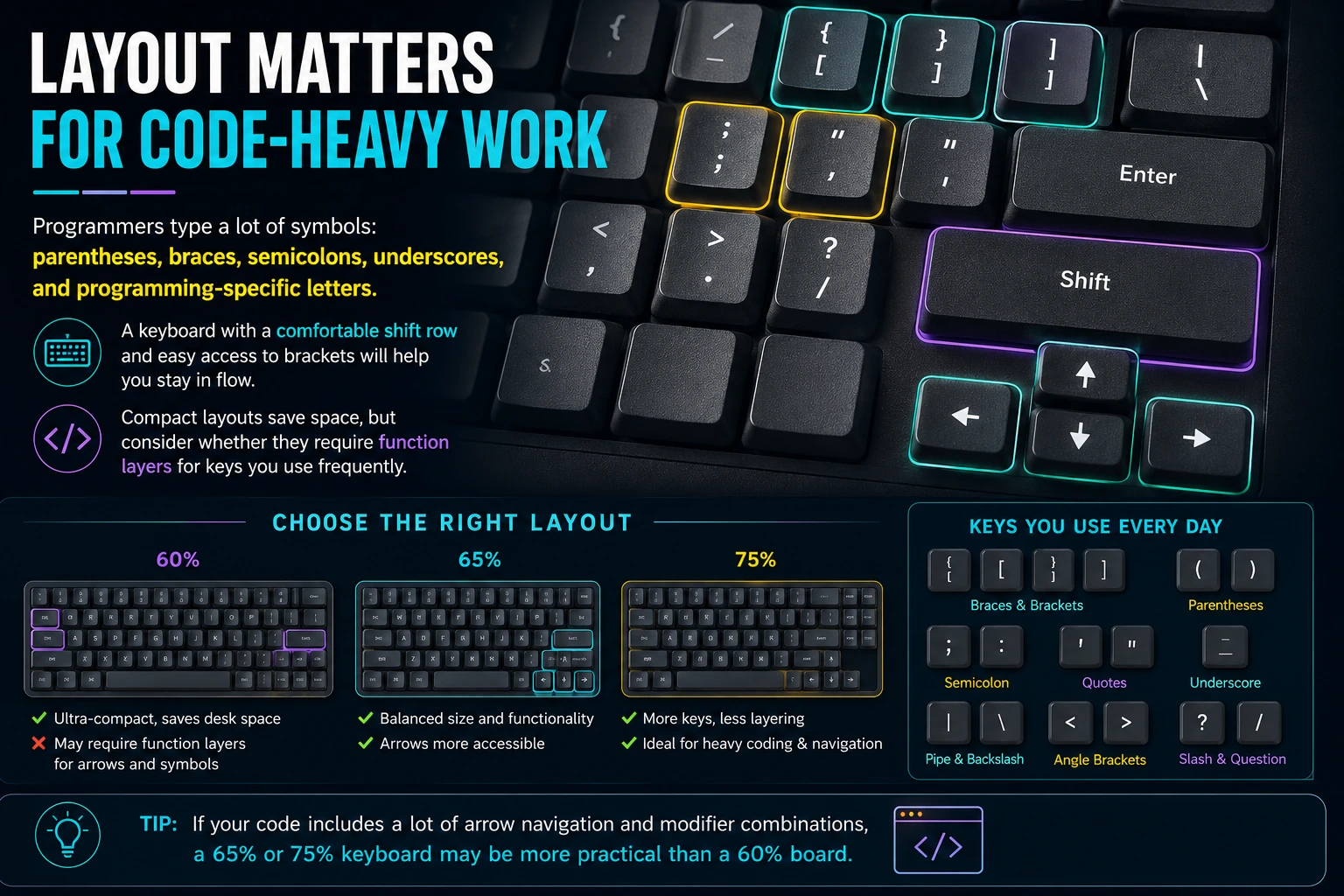
Programmers type a lot of symbols: parentheses, braces, semicolons, underscores, and programming-specific letters. A keyboard with a comfortable shift row and easy access to brackets will help you stay in flow.
Compact layouts save space, but consider whether they require function layers for keys you use frequently. If your code includes a lot of arrow navigation and modifier combinations, a 65-percent or 75-percent keyboard may be more practical than a 60-percent board.
Ergonomic features that really matter
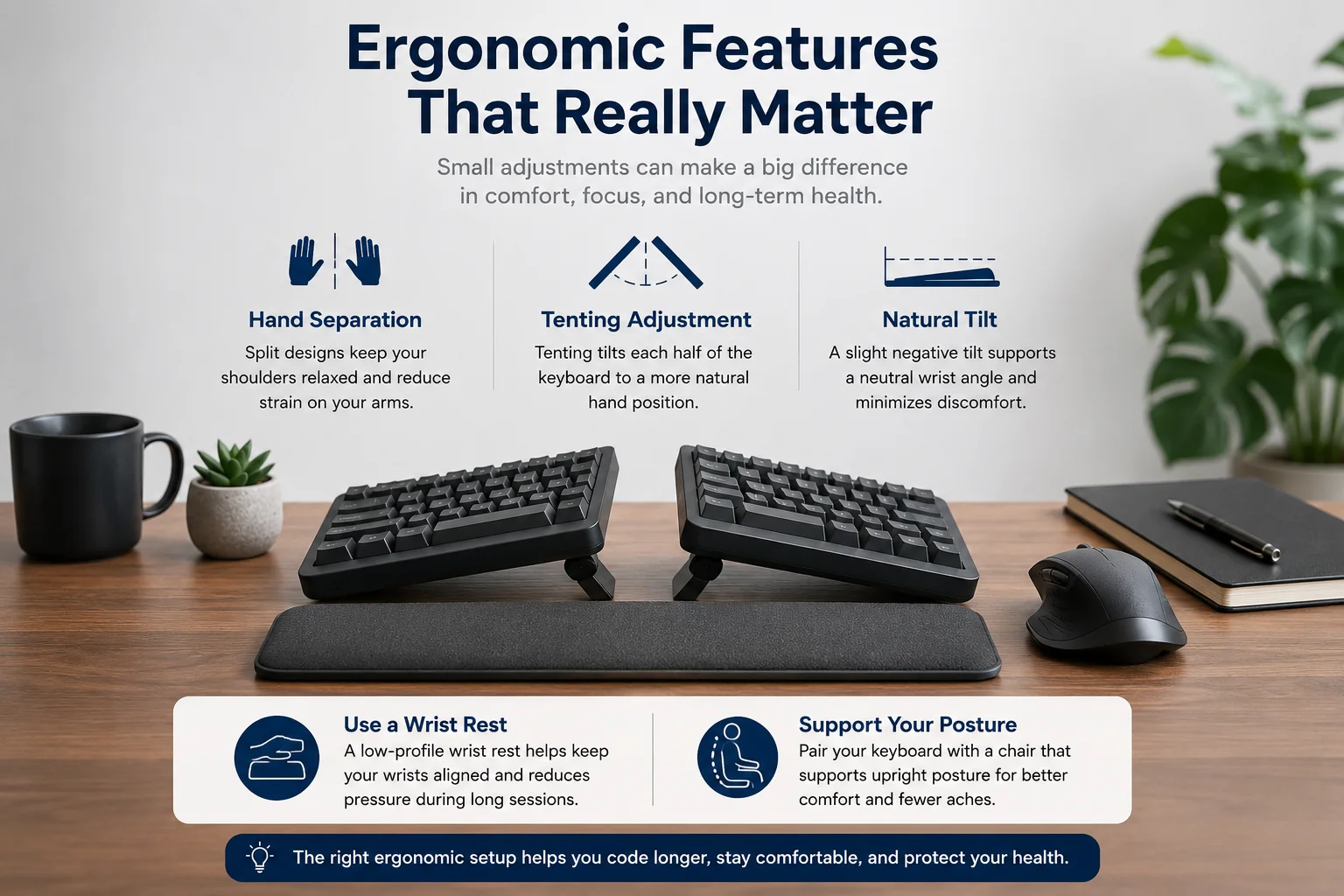
Ergonomic keyboards are not all the same. The features that matter most are hand separation, tenting adjustment, and a tilt that supports a natural wrist angle.
If you are building a programming setup, pair the keyboard with a low-profile wrist rest and a chair that supports upright posture. That combination is often more impactful than a flashy keyboard alone.
Comfort over novelty
A keyboard that feels good for 3+ hours of work is better than one that is exciting for the first 30 minutes.
Stable build
Keyboards with tight tolerances and quality stabilizers avoid wobble and keep your typing consistent.
Programmability
Macro layers and remapping save time on repetitive code snippets and navigation commands.
Noise profile
Choose a switch sound that works for your environment: tactile and quiet rather than loud and distracting.
Choosing switches for programming
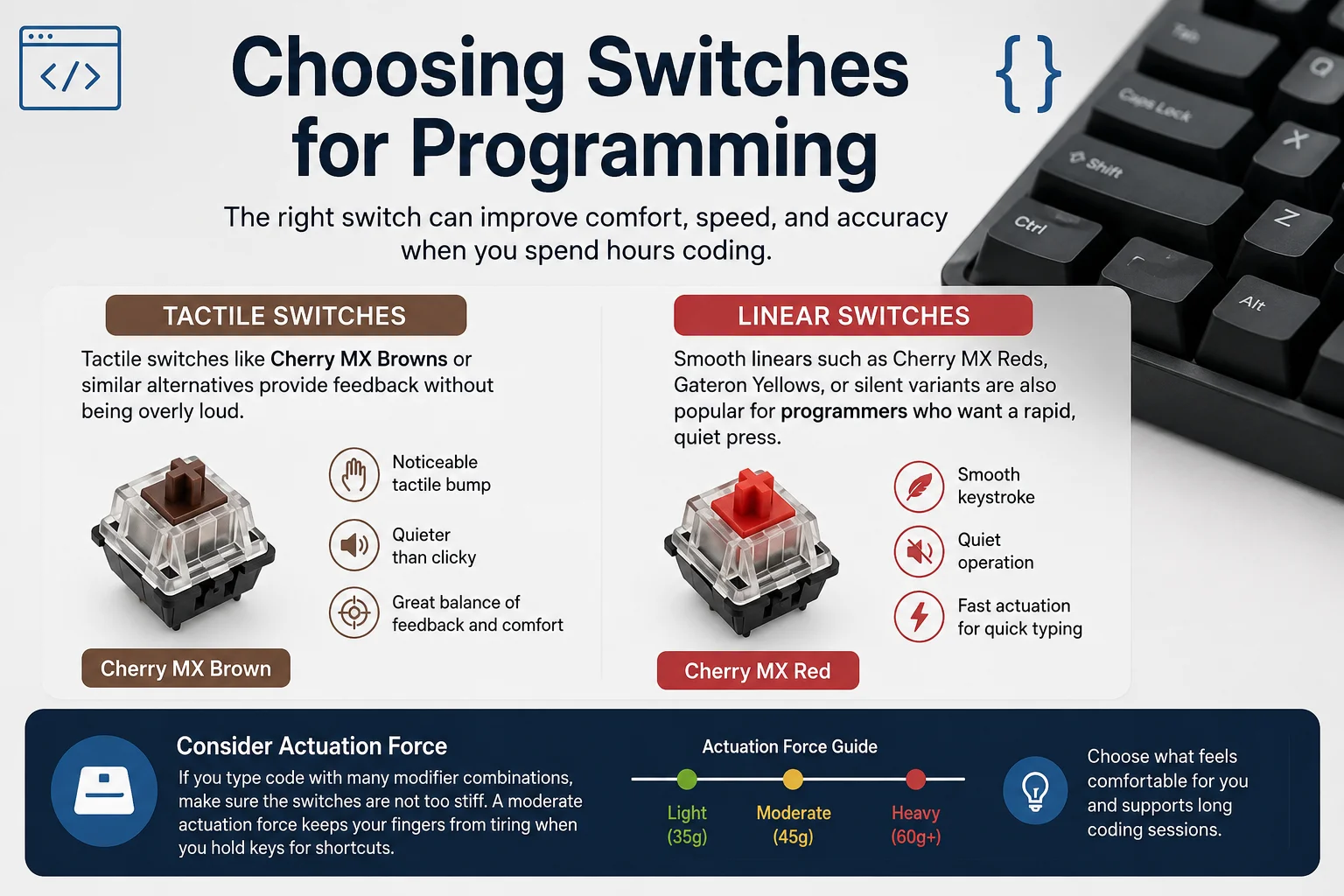
Tactile switches like Cherry MX Browns or similar alternatives provide feedback without being overly loud. Smooth linears such as Cherry MX Reds, Gateron Yellows, or silent variants are also popular for programmers who want a rapid, quiet press.
If you type code with many modifier combinations, make sure the switches are not too stiff. A moderate actuation force keeps your fingers from tiring when you hold keys for shortcuts.
Connectivity and reliability
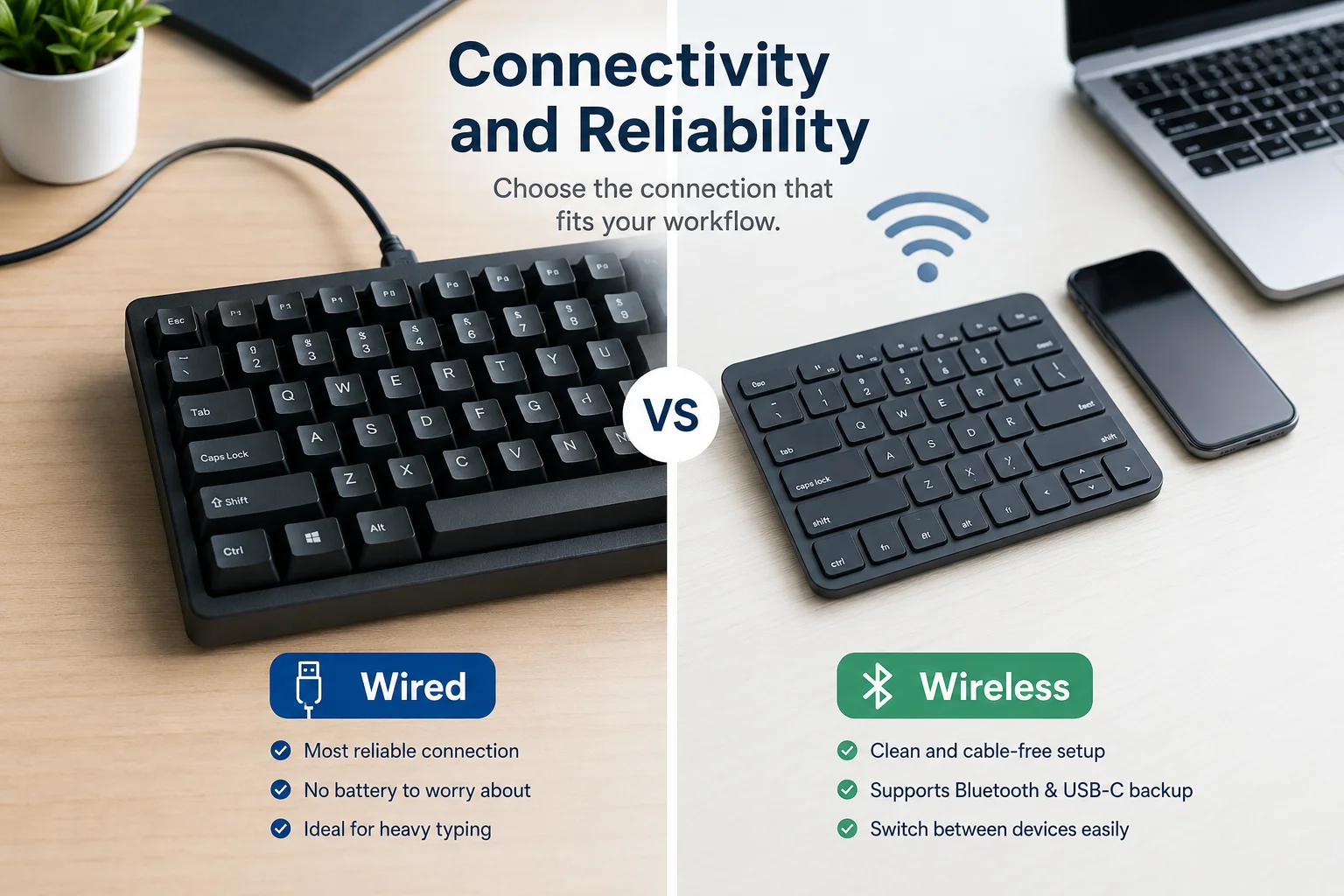
Wireless keyboards look clean and reduce cable clutter, but wired keyboards offer the most reliable response for heavy typing. If you choose wireless, prefer one that supports Bluetooth and USB-C wired backup.
A stable connection is especially important if you switch between multiple devices or work from different locations. The ability to store profiles and switch quickly can make a wireless keyboard feel seamless.
Hands-on testing advice
Before committing to a keyboard, test it with your normal workflow. Type code snippets, move between symbols, and use the modifiers you rely on most. Your current favorite keyboard is the best benchmark.
Use the typing test to compare the feel of different keyboards. Measure how quickly you return to a clean, consistent punch after typing a code-heavy passage.
Advertisement
Internal links to improve your keyboard setup
- Ergonomic Keyboard Buying Guide — choose the right layout and support for long sessions.
- Keyboard Maintenance for Consistent Typing Performance — keep your keyboard working like new.
- Split Keyboard Typing: A Beginner's Guide — decide if a split design is right for you.
Quick selection checklist
- Pick a layout that supports your most-used keys and symbols.
- Choose switches that balance feedback with noise and fatigue.
- Look for a build that feels solid under your hands.
- Consider programmability if you use macros or custom shortcuts.
- Test the keyboard with a real coding session before buying when possible.
Conclusion
The best keyboard for programming is the one that makes long typing sessions comfortable, keeps your hands aligned, and supports the symbols and shortcuts you use every day. It is not always the flashiest or most expensive board; it is the one you can type on for hours without strain.
Use this guide to compare styles, choose the right switches, and make a keyboard purchase that helps your typing remain fast and accurate through every coding sprint.
Why Best Keyboards for Programmers — Typing Comfort + Productivity matters
Best Keyboards for Programmers — Typing Comfort + Productivity is a key part of better typing. This article gives you practical insights, real-world examples, and clear steps so you can use the right techniques and tools for faster, more accurate typing.
Compare your keyboard fit
Use the typing test to see whether a new keyboard improves your speed, comfort, and accuracy over your current setup.
Try the Typing Test →